Technology changes fast, and big companies such as Lenovo, Dell, Asus, and HP now offer a variety of laptops with 4k displays. You can play your favorite games with brighter, more vibrant colors and a sharper resolution by investing in a 4k laptop.
There is a large selection of 4k laptops, and they’re all considered premium. The prices are higher than what you’re probably used to, but this guide will help you decide which laptop is worth investing in for your needs. Also, if you need touchscreen functionality, check out our best Windows touchscreen laptops.

What to Look For When Buying a 4K Laptop
Unlike a desktop PC, laptops have fixed screens that vary significantly in quality from model to model. This is why you want to pay close attention to the display and its specifications, not just how much RAM you get and how fast the CPU is. So before deciding which 4k laptop is best, pay close attention to the following features: * Display: Even though all 4k laptops have a resolution of 3840 x 2140 pixels, there are other characteristics you need to consider, such as the size of the display, its refresh rate, panel type, and brightness. Each factor will significantly impact the quality of the screen and your visual experience.
- Processor: You want your laptop to be powerful enough to play your favorite games and finish your work tasks. 4k laptops also need more resources than an FHD system, so they come with some powerful options. If you want the best setup, look for models with an AMD Ryzen 9 or Intel Core i9 12th Gen CPU.
- Graphics card: You’ll need a powerful graphics card to get the best out of your 4k display. This is especially important if you want to play 4k games because a weak GPU won’t handle 4k gaming at maximum settings. The most common GPUs in modern 4k laptops are the Nvidia GeForce RTX 3060, RTX 3070, and RTX 3090, as well as their TI variants.
That said, RAM and storage also matter greatly, so just get the most you can afford. Since 4k laptops are premium products, they usually come with a high-quality SSD and at least 16GB of RAM.
1. Razer Blade 15
Best for gaming.
- 144 Hz refresh rate
- GeForce RTX 3080 TI GPU
- 12th Gen Intel 14-Core i9 CPU
- 32GB of DDR5 memory
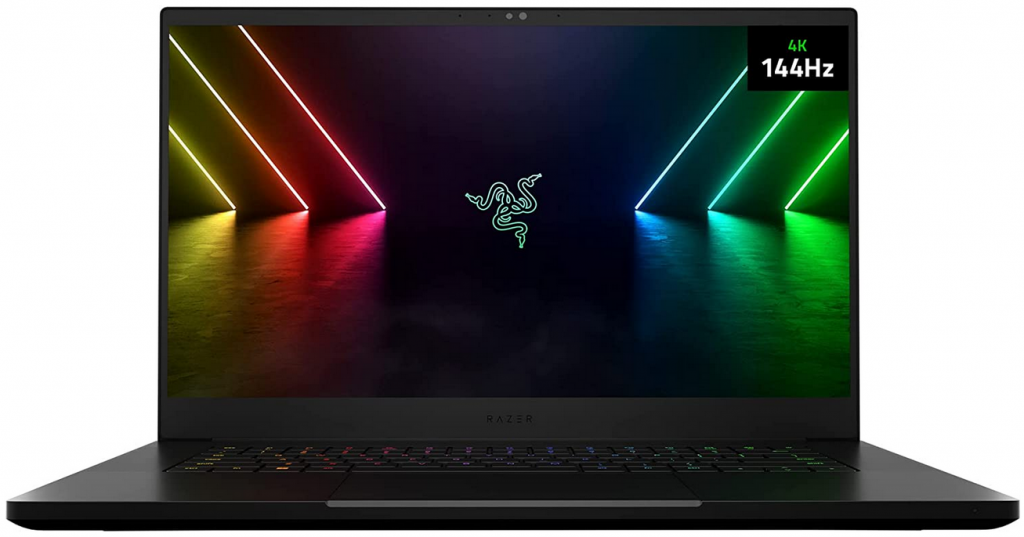
Although Razer Blade 15 has the best gaming performance, the fact it has a 4K display makes it a fantastic multimedia device as well. All the visuals pop with accurate colors and complete coverage of the DCI-P3 color space. And to kick it up a notch, each Razer Blade 15 4k display is individually calibrated in the factory to give you the best possible viewing performance.
This laptop is powered by an Nvidia RTX 3080 Ti graphics card and a 14-Core i9 processor, and it has 32GB of next-gen DDR5 RAM with an impressive 4800MHz frequency. It also boasts plenty of storage with its 1TB PCI-e SSD, and you can transfer data at super speeds through theThunderbolt 4 USB-C port.
2. ASUS ZenBook Pro Duo 15
Best for creative work.
- Touchscreen functionality
- 100% DCI-P3 gamut
- 11th GenIntel Core i9 processor and RTX 3080 GPU
- 32GB RAM with 2666MHz memory speed
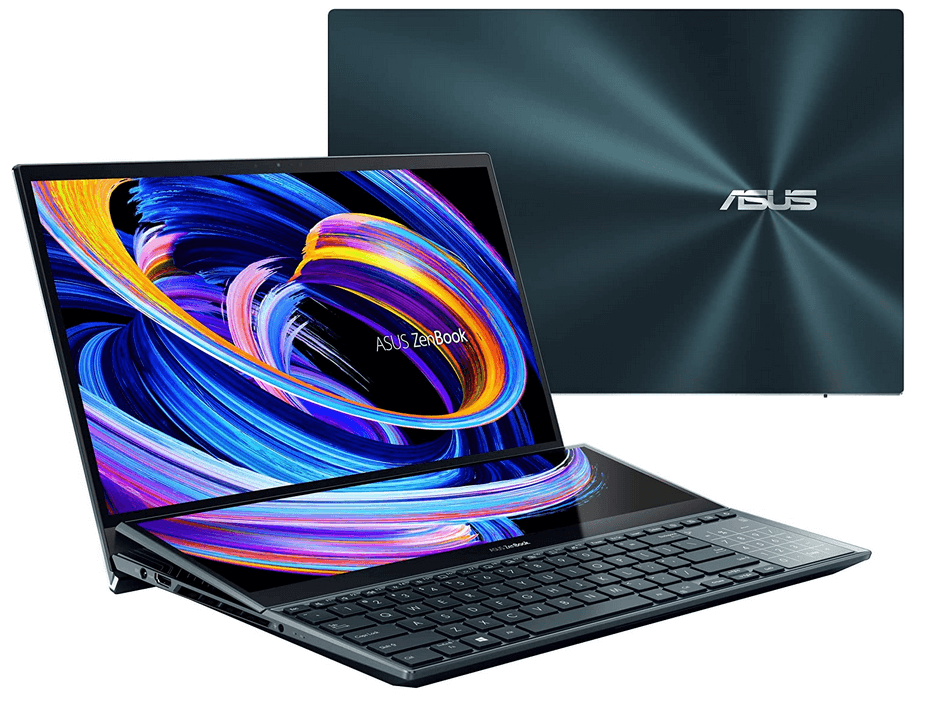
ASUS ZenBook Pro Duo 15 is a beautiful 4K laptop for all professional creatives that need a portable workstation. It comes with Pantone-validated colors, so you can rest assured all the colors are displayed accurately. This amazing screen is powered by an 11th Gen Intel Core i9 processor and an RTX 3080 GPU, so you can also play your favorite games at 4k resolution.
This ASUS 4k laptop was built to be a professional beast and will support all your work requirements with 32GB of RAM and 1TB SSD of storage. We only wish it had the new DDR5 RAM instead of DDR4 for even more performance, but that would’ve increased the price considerably.
That said, the main advantage of the ASUS ZenBook Pro Duo can be deciphered from its name. Duo means it has a second display, the ASUS ScreenPad Plus. This 14-inch 4k display with a 3840×1100 touch panel will allow you to multitask efficiently. You can even use a stylus and set extra controls for Adobe Photoshop.