Remember when we were lucky if there was a computer in each classroom? Now, having a laptop for a student is a must. Laptops aren’t cheap though, and there are so many choices. So how do we know which laptop to get for our kid?
Even before reading our list, talk to the teachers. They may have a standard for laptops. At the very least, they can say what programs and operating systems (OS) the school uses, and what the kids do with them.
Our criteria for the best budget laptops for school work is simple but strict. * It must be priced under $500. The lower the price, the better for most folks.
- Small enough to fit in a backpack with books, but big enough to use comfortably.
- The laptop should be capable of 6 hours of use on a full charge.
- Bluetooth is a must. Watching videos is now necessary for homework, and if your kid can wear Bluetooth headphones it makes for a quieter night for you. Face it, they’re going to be listening to music and watching Disney + too.
Most laptops already have all the necessary ports, like USB and HDMI, DisplayPort, or VGA. WiFi is in everything, too. Any other special feature is a bonus at this point.
Acer Aspire 5 Slim Laptop – A515-43-R19L
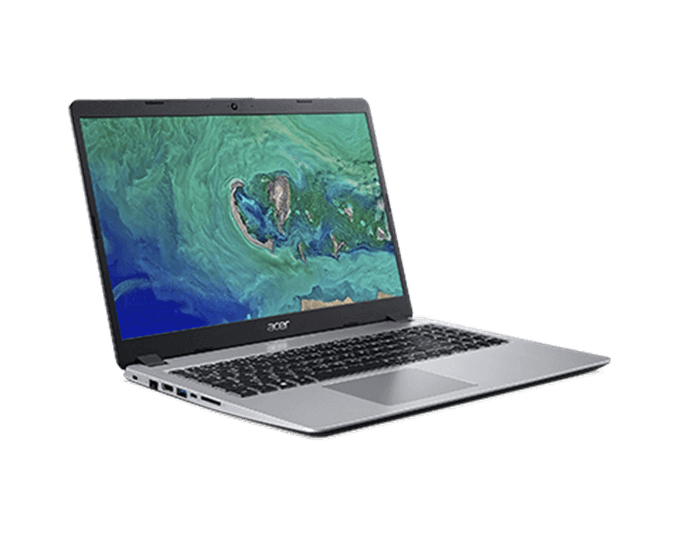
Super thin, with a bright 15.6 inch HD display, the Acer Aspire 5 hits a sweet spot between bare basics and full-featured. It’s powerful enough for most student tasks in high school through to college. Only animators and computer science students might need more.
It’s got enough memory and graphics supports to even run some decent games. Add up to 7.5 hours of battery life and you’ve got one of the best budget laptops.
Price: $350 Processor:AMD Ryzen 3 3200U RAM: 4GB DDR4 Storage: 128GB SSDDisplay Type: Full HD IPS 1920 x 1080 Graphics Processing: Vega 3 Co-processor Ports: 1 USB 3.1 Gen 1 Port, 2 USB 2.0 Ports & 1 HDMI Port with HDCP support OS: Windows 10 Home in S Mode Battery Life: ~7 hours
Lenovo Flex 14 – 81SQ000EUS
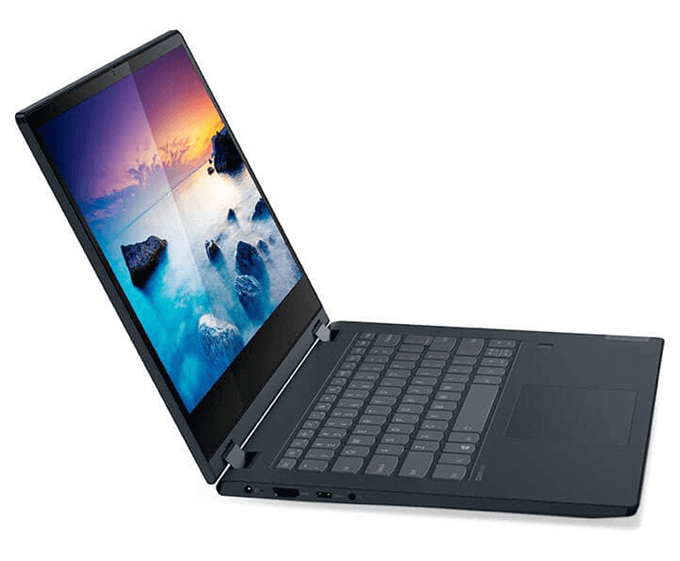
This one is at the top end of the budget at $449.99. For that, the Lenovo Flex gives a 14-inch touch display and, as the name suggests, can be flipped right over to allow the use of it as a tablet.
It’s capable of running most apps a student would use. With the flexing capability, it’s probably best in the hands of high school or college students. Being able to fold over backward does create more opportunities for accidental damage.
Price: $449.99 Processor: Intel Pentium Gold 5405U RAM: 4GB DDR4 2400MHz Storage: 128GB SSD Display Type: 14.0” HD Multi-touch Graphics Processing: Integrated Intel UHD 610 Graphic Ports: 2 x USB 3.1** (1 x always on), USB-C, Card reader, HDMI, Audio jack OS: Windows 10 Home in S mode Battery Life: ~8 hours, can fast-charge up to 80% in an hour
Asus Chromebook C523NA
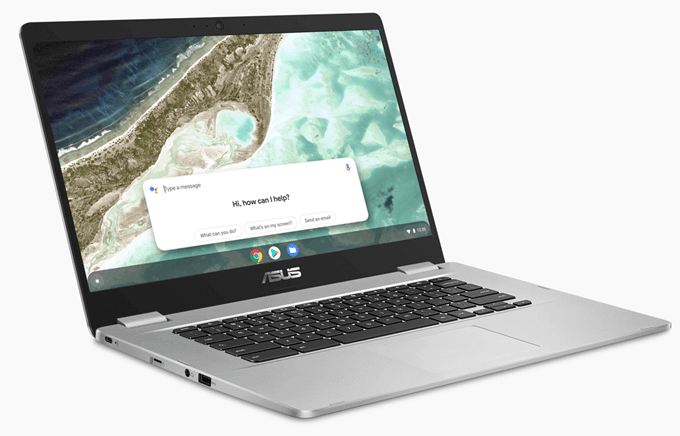
Some people shy away from Chromebooks because they believe their kids need to have Windows to use Microsoft Office. For most students, the Microsoft Office apps for the ChromeOS will do more than they’ll need.
This Chromebook has a huge 15.6-inch touchscreen, unusual in the Chromebook world. Chromebooks are a bit different, but they’re more than capable of serving most college students as well as elementary school students. Perhaps more importantly, it has an aluminum chassis making it a durable option.
Price: $293.88 Processor: Intel Quad-Core Pentium N4200 RAM: 4GB DDR4 RAM Storage: 64 GB eMMC (embedded MultiMediaCard) Display Type: 15.6″ Full HD Touchscreen Graphics Processing: Intel Integrated Graphics Ports: 2 x USB 3.0, 1 x USB 3.1, combo headphone and speaker jack OS: Chrome OS Battery Life: ~6.5 hours