Tablets are yet to be as essential as smartphones and laptops, but they’re still nice to have around. If you love reading, a tablet will change the way you read digital books and listen to audiobooks.
Whether you’re looking for a no-frills budget tablet or a high-end tablet with all the bells and whistles, here’s a roundup of the best tablets for reading digital books.
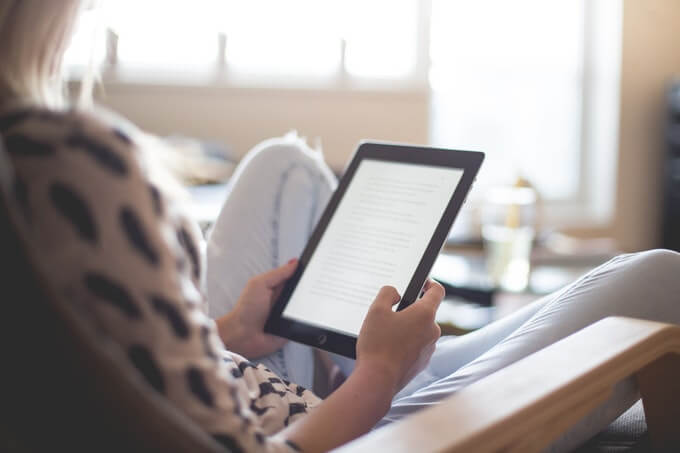
**Best Tablet For Reading Books**
If you love reading at the beach, by the pool, or in the bath, the Kindle Paperwhite is a tablet worth considering. It’s super light, with a flush, glare-free display that makes it ideal for reading outside. The backlight is also enough for late-night reads even if all the lights are off.
Kindle Paperwhite
You can hold the Paperwhite and flick to the next page with one hand. Plus, it’s easier to carry around in a stuffed backpack than carrying a 400-page book.
Paperwhite has an IPX8 waterproof rating against accidental immersion in two meters of freshwater for up to one hour. Its battery life can go for weeks and there’s enough storage to hold up your comics, magazines, and audiobooks.
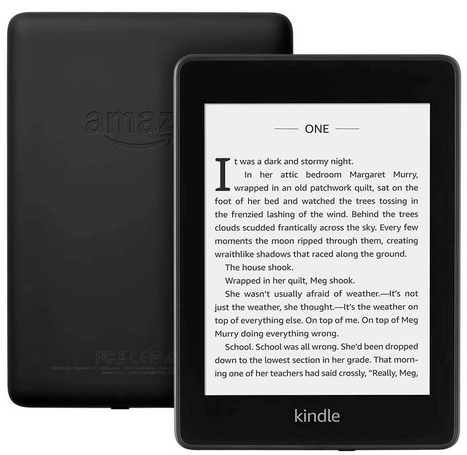
You can get Paperwhite in four colors: Black, Twilight Blue, Plum, and Sage.
The Good
* Waterproof- Weeks-long battery
- Great display
- Slim and light
- 8GB and 32GB storage options
- Audible support
- Access to Amazon’s e-reader bookstore
The Not-So-Good
- No physical buttons
- No microSD slot
Nook GlowLight 3
The Nook GlowLight 3 tablet is a great alternative to the Kindle. It’s simple, lightweight, affordable, with an extensive ebook library that holds millions of titles.
The GlowLight Illumination in the tablet is powerful enough to read in the bright light of the sun, and you can switch to Night Mode for more comfortable bedtime reading.
The Nook GlowLight 3 has a glare-free, scratch-resistant screen, and high-resolution display with crisper text, and enhanced contrast. It’s easy to see why it’s one of the best tablets for reading graphic novels and comics.
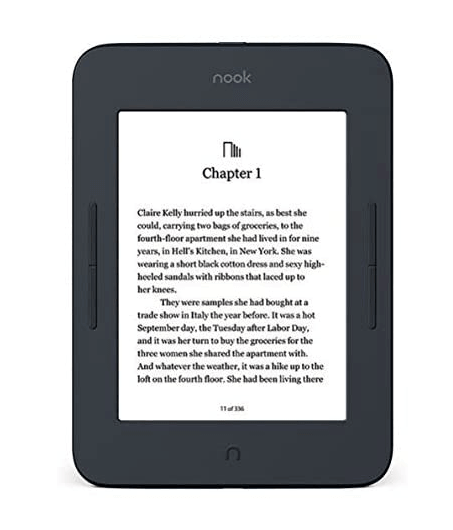
If you want to store your digital books, the Nook GlowLight 3 comes with 8GB of internal storage, but you can still use the NOOK Cloud to store all your purchased ebooks for free.
While the Nook GlowLight 3 tablet is specifically made for reading purposes, you can still access the Google Play Store on the tablet and download movies, apps, and games. If you like discussing books and getting recommendations for your favorite titles, the pre-installed Barnes and Noble Browsery app gives you access to their online community where you can interact with other readers.
The Good
- Outdoor viewable display
- Long battery life
- Huge library
- Can read PDFs
- Access to online reader community
- Physical page-turning buttons for navigation
The Not-So-Good
- Not waterproof
- Works best with ePub file format
What To Look For In A Tablet For Reading Books
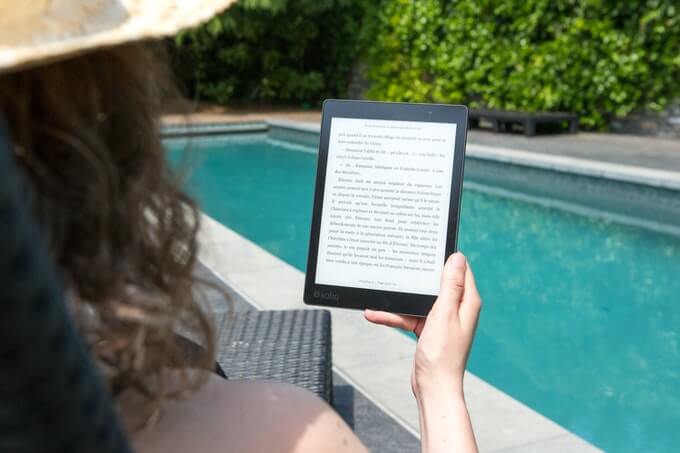
- Screen: Many tablets for reading digital books use the E-Ink Carta technology for a paper-like reading experience and less strain on the eyes. If the tablet you like has an IPS display instead, turn on the Blue Light feature to read better at night or in a dimly-lit environment.
- Battery life: Few things are more frustrating than reading your favorite book on a tablet, only for the tablet to die within a few hours. Most tablets for reading books have stellar battery lives, which means the tablet can go for long hours or even weeks on a single battery charge.
- Durability: If you’re planning to read in the pool, at the beach, or in the bath, get a tablet that’s designed to be waterproof with IPX8 rating, and a sturdy build that can survive accidental drops.
- Size and weight: The best tablet for reading should be light enough to take with you on the go, and for one-handed use while reading.
- File formats: The most common file formats for digital books are PDF, EPUB, TXT and HTML. If you want to read digital comics, or magazines, go for a tablet that can play multiple file formats.
- Capacity: The higher the tablet’s capacity, the more digital books you can store in it. Some tablets allow you to store your media files in the cloud so you can use the internal memory to store your favorite ebooks. Other tablets come with a slot for an SD or microSD card, which allows you to expand your capacity.
- Access to digital book stores: Not all tablets for reading books have direct access to ebook stores. If you need a tablet with store access to a wider selection of digital books, get a Kindle, Kobo, or Nook tablet as they have direct access to Amazon’s online bookstore, Borders, and Barnes & Noble respectively. Other tablets come with ebook apps, but you can also visit websites that offer books you can read online for free.
Curl Up With A Good Digital Book
Whether you want a basic tablet for reading books, or a more versatile tablet for multitasking, you can find the right one for your reading life. We’ve also listed the best places to find free books for kids who love to read on their mobile devices, and the best places to find audiobooks for free.
Which tablet do you use to read digital books? Sound off in the comments below.